
My World In Blocks
Turning the world into Blocks
Search anywhere on Earth and turn the real terrain into a vibrant world of contour blocks — then spin it, print it, and build it.
Download on the App StoreTry the 3D modelThe Matterhorn, in blocks.
This is a real model from the app — actual elevation data for a 7 km square around the summit, split into contour bands exactly the way My World In Blocks does it. Drag to spin it.
From map to model to plan.
Every screen here is the app, as it ships.
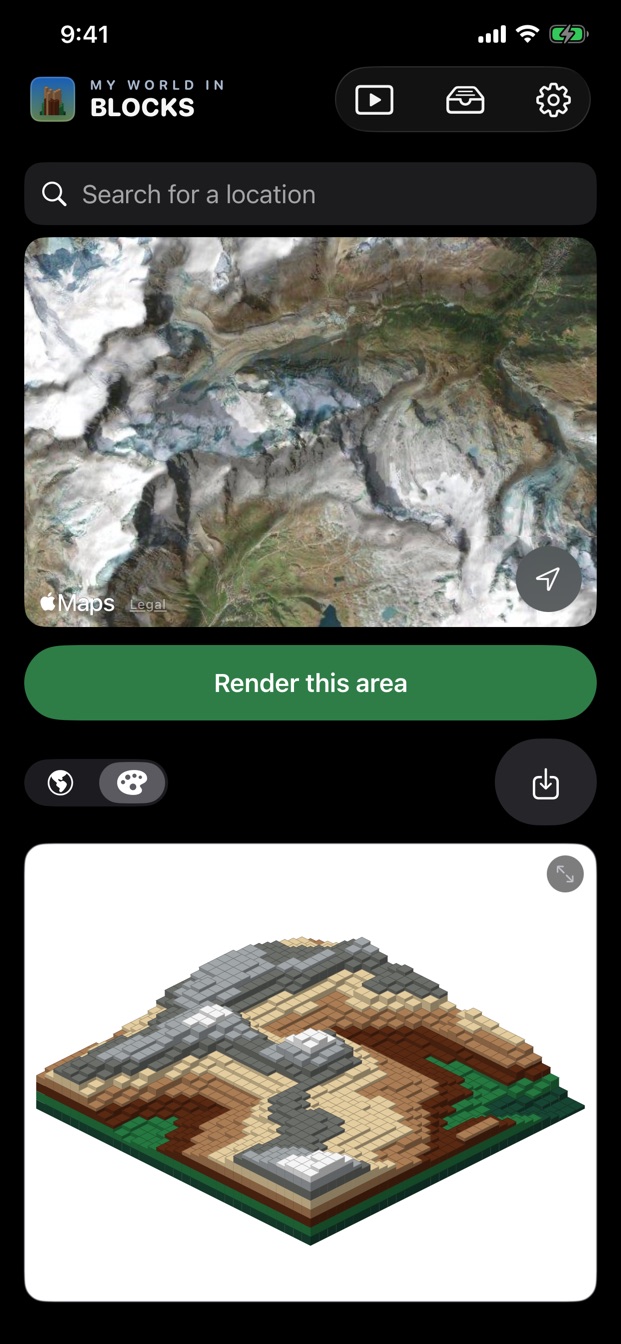
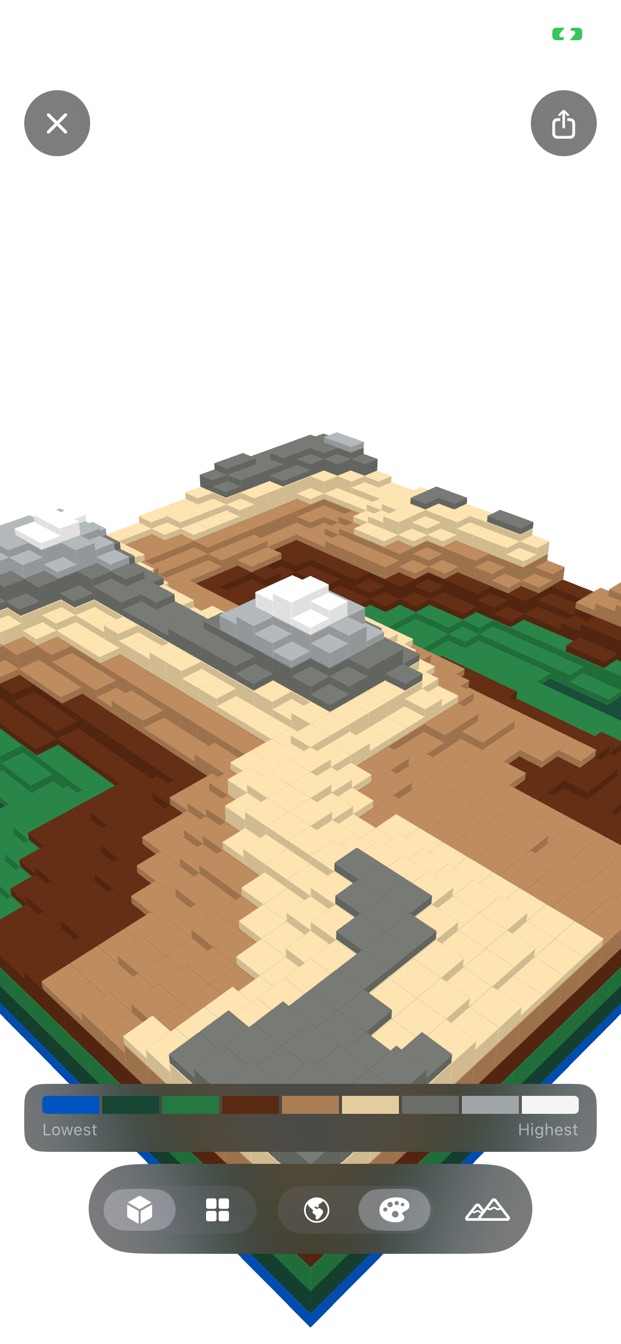
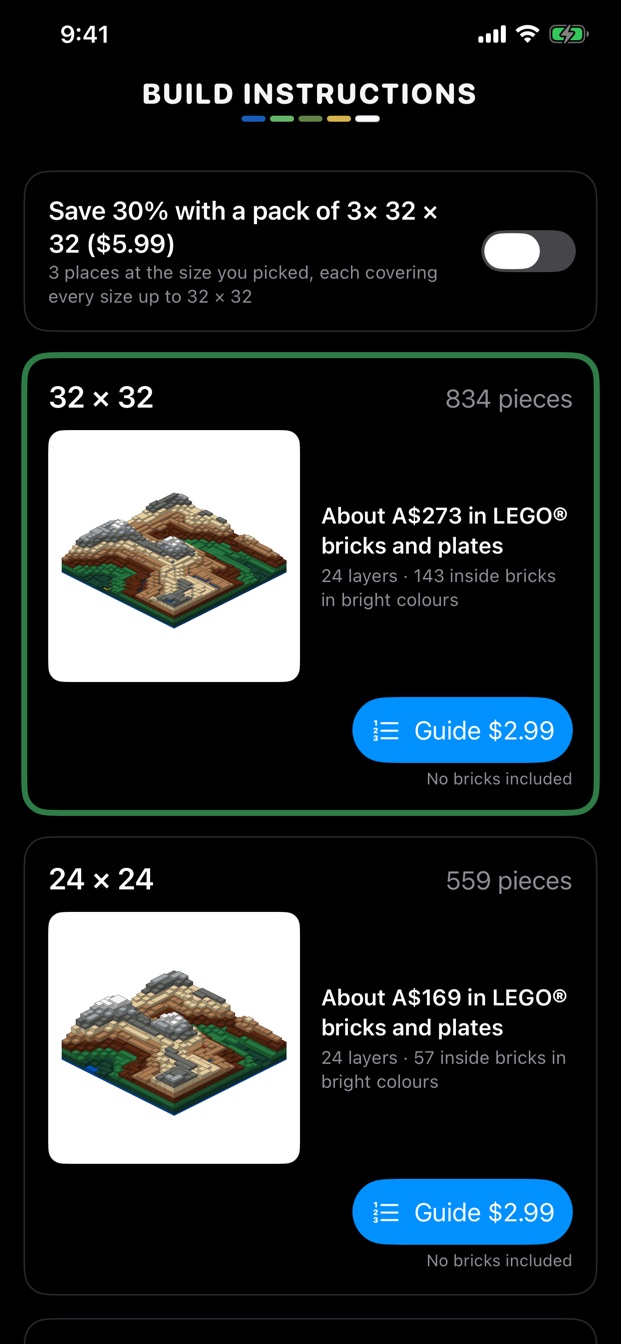
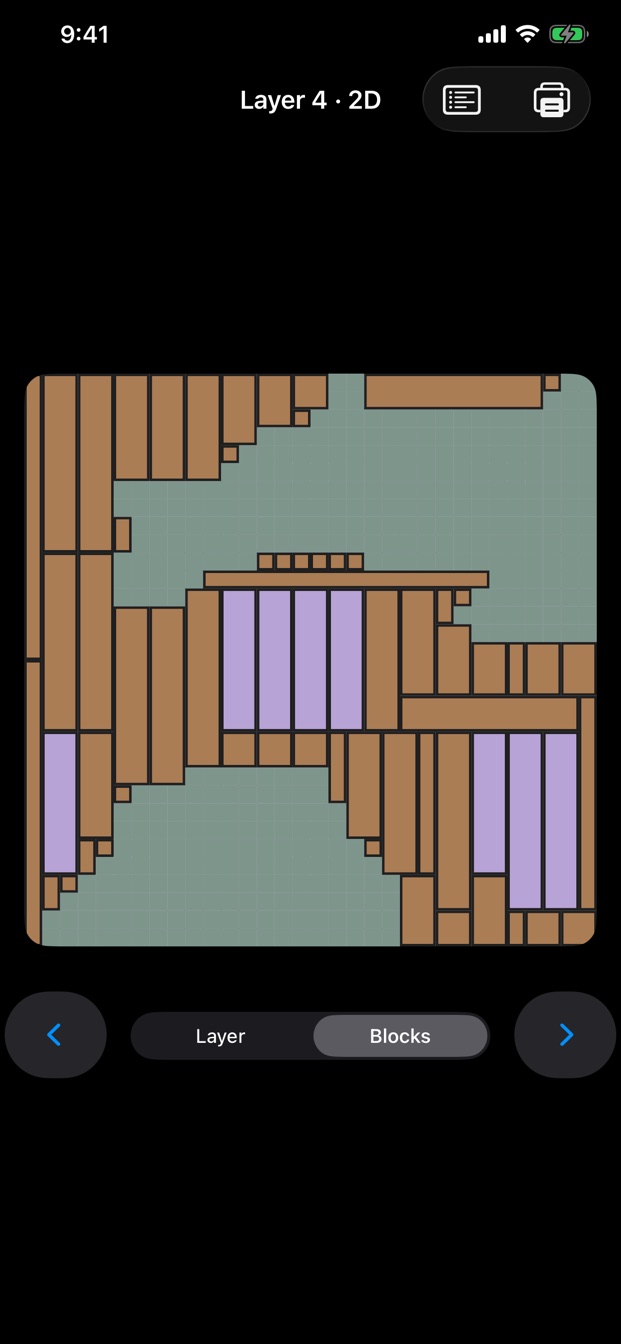
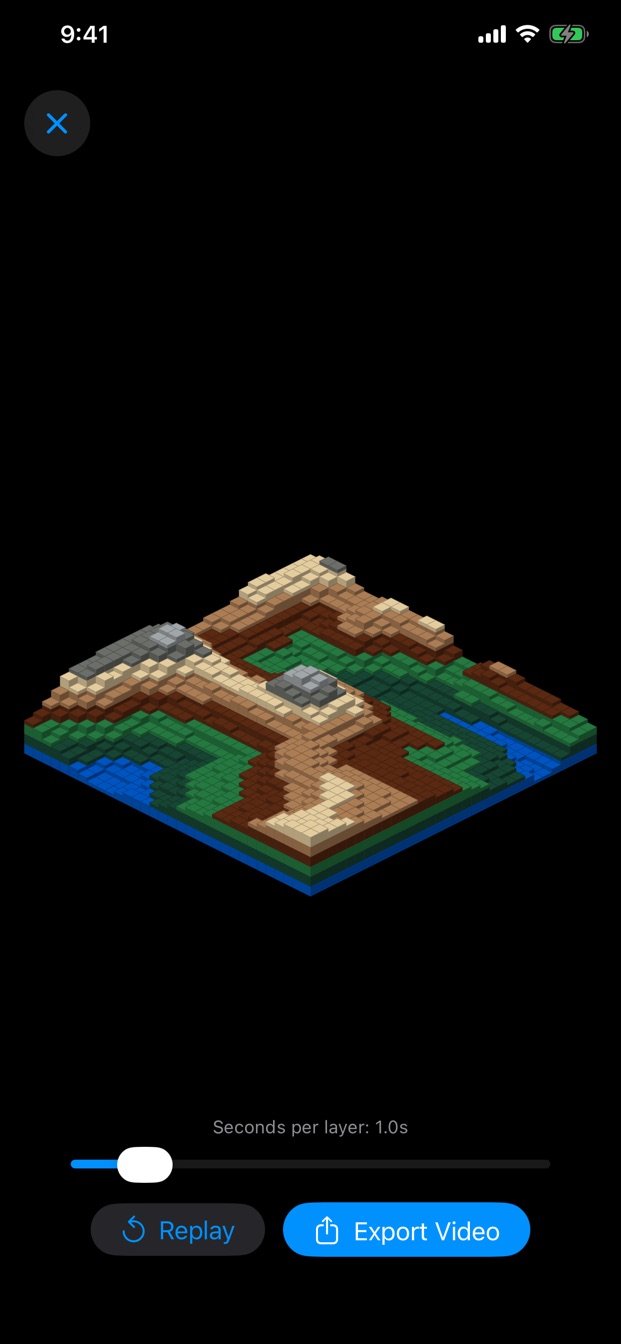
Watch it build, layer by layer.
Every location rises out of the grid one contour at a time. Export the build as a video to share.
Every place, in blocks.
Any location
Search Earth and render the terrain around you — or around anywhere, from a harbour to a whole country.
Real terrain
Public elevation data becomes eight layers of LEGO® colours, with the sea exactly where the map's coastline says it is.
Rivers & landmarks
Main rivers run in blue bricks through their valleys, bridges cross them bank to bank, and a city's best-known buildings stand on top.
LEGO® colour sets
Five colour sets, picked from real BrickLink prices and stock in London, New York, Dublin and Sydney. Natural is the default.
Step-by-step guides
A printable building guide for your place: the base first, then every layer, a few bricks at a time, strong cross-laid bricks throughout.
Parts & shops
Every part listed by size and colour, ready to send to BrickLink, Brick Owl, Webrick or LEGO Pick a Brick.
3D & video
Spin it, stand on the summit, and export the build as a video.
Print the layers
Exact-scale A4 layer plans at 8 mm per square, free.
A real building guide. Free.
This is the start of the plan the app makes — here for the Matterhorn at 24 × 24, built with Smooth Easy: 459 pieces in 108 steps. Download the whole guide and build it.
- Step 1 lays the base; the model's squares match the studs one for one.
- Then layer by layer, a few bricks at a time, each shown where it goes.
- A parts list for every step and for the whole model.


Free app. Buy the plans you want.
Rendering, saving, sharing pictures and exporting build videos are all free, with no limits. When you're ready to build, buy the step-by-step building guide for your place: 16 × 16, 24 × 24 (which includes the 16 × 16) or 32 × 32 (which includes both), or a pack of three for about a third off. Want a real challenge? Huge maps of 48 × 48, 64 × 64, 96 × 96 and 128 × 128 are sold one at a time, each with that place's 16, 24 and 32 included — and there's a little 8 × 8 too. Every step shows where the new bricks go from above, counted in studs from the edges, and the inside bricks go down first in bright colours. Already built one? Reuse your old bricks and they come off the shopping list. No subscription, no account.
Download on the App Store